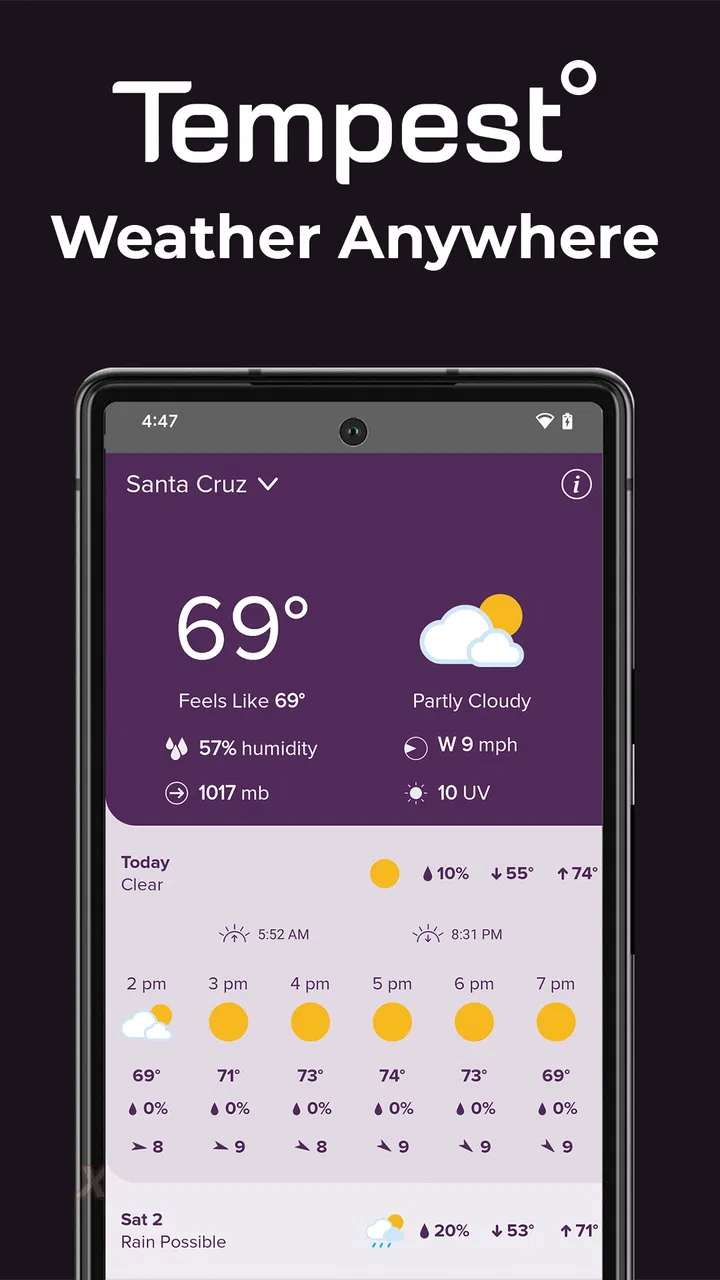
Tempest Weather
- 4.3
- Rating
- 100.00K
- Installs
- Free
- Price

 Analysis by App-foxy
Weather apps are easy to judge when all you want is a quick temperature. They become more interesting when you need to decide whether to cycle, work outside, protect plants, or leave home during changing conditions. I spent time with Tempest Weather from WeatherFlow with that practical question in mind, paying particular attention to how readable and manageable it feels for people with different needs and routines.
This is a free weather app for Everyone, but it is not designed as a completely independent replacement for every ordinary forecast service. Its main purpose is to work with a Tempest sensor device, using that local hardware to provide a more personal view of conditions around you. That distinction affects almost every part of the experience: the app makes the most sense when you care about weather at one specific property rather than a broad city forecast.
My overall impression is that Tempest Weather is most valuable as a local weather companion, not simply another general-purpose forecast screen. It can be especially useful for homeowners, gardeners, outdoor workers, and anyone who already relies on a Tempest setup. People who only need a basic forecast for occasional trips may find the hardware requirement and more focused approach less appealing.
You May Also Like

 Blood Strike: 2.5 Anniversary
Blood Strike’s Loadouts Turn Every Drop Into a Tactical Gamble
A close look at Blood Strike’s custom loadouts: how fast access to signature weapons reshapes its battle royale rhythm, rewards preparation, and narrows the gap between fights.

 Pandora - Music & Podcasts
Pandora’s Music Is Easy to Start, but Harder to Recover
Pandora’s strength is its low-effort path from a seed to a station. Its weak spot is how much confidence it asks you to place in connection, setup, and quiet recovery.

 8 Ball Pool
 Is Built on Rivalries, Rematches, and Routine
A close look at the rivalries, rematches, shared routines, and unanswered safety questions that turn a quick pool match into a persistent mobile community.

 Samsung Music
’s Quiet Strength Is Playing What You Already Own
Its reach comes less from spectacle than from dependable access to a personal library. That simplicity is both the app’s strongest retention engine and its ceiling.

 AccuWeather: Weather Radar
AccuWeather Review: A Quick, Clear Forecast for Everyday Decisions
For everyday plans, the best forecast is the one you can understand quickly. AccuWeather makes rain timing, radar, and local conditions easy to act on, with a few trade-offs.

 Hill Climb Racing
Why Hill Climb Racing Still Turns Crashes Into One More Run
A tiny car, a bumpy hill and one more upgrade: Hill Climb Racing keeps resurfacing because its simple chaos makes every near-miss feel personal.
More From Our News Desk



How the app presents local weather
I find the key to understanding Tempest Weather is its focus on conditions around a Tempest sensor, rather than treating every location as just another point on a broad forecast map. That makes the app most useful when I’m making repeated decisions about one place, such as a garden or worksite. The next section looks at what that local focus changes in a practical routine.
Readability and navigation in everyday use
The first thing I noticed is that the app’s usefulness depends on how quickly I can turn weather information into a decision. A local reading is more meaningful than a distant station when I am checking conditions around my home, but that benefit only matters if the information is easy to scan. Tempest Weather is best approached as a dashboard: I open it to understand what is happening near the sensor, then look for the detail that affects my next action.
That local focus gives the app a clear identity. Instead of treating my location as a dot inside a large regional forecast, it is connected to a dedicated Tempest sensor device. For a backyard, smallholding, workshop, or coastal property, that can make the information feel more relevant than the usual city-based weather estimate.
At the same time, users who prefer a very simple “current temperature and tomorrow’s forecast” layout may need a short adjustment period. A sensor-based weather tool naturally invites more attention to local conditions and trends. I would not choose it for someone who wants the least possible interaction. I would choose it for someone who is willing to check a little more carefully because local accuracy matters to them.
Text size and contrast are important considerations for any weather dashboard, especially when it is viewed outdoors or in a hurry. I found it more comfortable to use when I could pause and read rather than glance at the screen while moving. That is a useful distinction for people with reduced vision, reading difficulties, or attention limitations: the app can support a deliberate check, but it should not be treated as a hands-free warning system.
For a clearer routine, I would keep the app in a familiar place on the phone and use the same order every time: first check current conditions, then examine the forecast window, and finally decide whether the local reading changes the plan. This reduces unnecessary searching and makes the experience more predictable. It is a small habit, but it helps users who find changing layouts or information-heavy screens tiring.
Motor and sensory considerations
Tempest Weather is a better fit for users who can comfortably perform short touch interactions and read information on a phone screen. Someone with limited dexterity may prefer to prepare the app before an outdoor task rather than repeatedly tapping while wearing gloves, carrying tools, or standing in rain. In those situations, the practical limitation is not the weather information itself but the need to operate a touchscreen at the right moment.
People with sensory sensitivities may appreciate a focused weather purpose compared with an ad-heavy or crowded general weather service. The app is centered on the local weather experience rather than trying to be a news feed, social timeline, or entertainment portal. That narrower purpose can make it easier to approach when visual clutter is distracting.
However, a focused interface does not automatically solve every accessibility need. If you require large, highly customizable text, strong spoken guidance, or a completely nonvisual way to interpret conditions, you should test the app alongside your phone’s built-in accessibility tools before depending on it. I would not assume that a weather dashboard is equally comfortable for every screen-reader, magnification, or voice-control workflow.
Users with hearing loss are not excluded from checking weather because the core task is visual, but they should still think about how they receive urgent information in general. A display can tell me what is happening when I look at it; it does not replace a broader safety plan for severe weather. Likewise, users with low vision may benefit from reading the information indoors, increasing system text size where supported, and avoiding reliance on tiny labels viewed in bright sunlight.
A useful strategy for people with motor or sensory constraints is to make the check part of a stable routine. For example, I would review the local conditions before opening the garage, starting irrigation, or leaving for a job site. That turns the app into a planned information source instead of a tool I have to manipulate during the most difficult part of the day.
Situational access for home, work, and travel
The strongest use case is a fixed location where the Tempest sensor represents a place I care about every day. Imagine preparing to paint a fence on a Saturday morning. A broad forecast may suggest acceptable weather, but a local check can help me decide whether to begin immediately, delay the work, or keep materials covered. The app is valuable here because the decision concerns one property, not a whole county.
Gardeners can use the same workflow when deciding whether to water, cover delicate plants, or postpone outdoor maintenance. A person managing a home workshop, boat area, sports field, or rural property may also benefit from having weather information tied to that exact environment. The more local the decision, the more persuasive the Tempest approach becomes.
It is also useful for households where different people need the same local information. One person can check conditions before a child’s outdoor activity, while another can review them before opening a business, tending animals, or planning deliveries. The shared value comes from focusing on one place rather than asking everyone to interpret a different city forecast.
Travel is a different story. If I am driving across several regions, visiting friends, or planning a hike far from the sensor, Tempest Weather is less naturally suited to the job. A conventional forecast app with broad location search may be more convenient because it is built around changing destinations. I would keep Tempest for the home base and use another service when the question is, “What will the weather be at the place I am going next?”
The same trade-off applies to renters and people who move frequently. The app’s local advantage is strongest when the sensor remains installed at a meaningful location. If I cannot use a Tempest sensor where I live or work, the central reason to choose this app becomes much weaker. That is not a criticism of the app’s purpose; it is simply the boundary of its design.
For outdoor workers, the app can fit a pre-shift workflow. I would check it before loading equipment, note whether the local conditions support the task, and then check again before starting a weather-sensitive job. Workers who need information while wearing protective equipment should prepare in advance, because interacting with a phone in gloves or poor visibility can be awkward.
What the local-sensor approach changes
The most important insight is that Tempest Weather should be judged against the right alternative. A normal weather app usually wins on convenience, travel planning, and broad location coverage. Tempest Weather has a more specialized advantage: it is built around a Tempest sensor device and the conditions at that installation point.
That makes local context the deciding factor. If a city forecast regularly feels too general for your property, a dedicated sensor can make the app feel more purposeful. If you only need a rough idea of whether to carry an umbrella, the extra setup may not deliver enough value to justify changing your routine.
I also see a difference in how the information encourages decisions. A standard app often answers a question about a named place. Tempest Weather is better for ongoing observation of one environment. That is useful for people who notice small changes around their home and want weather information connected to daily habits rather than occasional searches.
For accessibility, this specialization has both a benefit and a cost. The benefit is reduced ambiguity: I am checking one important location. The cost is that the app is less flexible when my context changes. Someone who needs a single, simple tool for home, commuting, travel, and family locations may prefer a broader service with fewer dependencies.
Remaining barriers and practical friction
The clearest barrier is the Tempest sensor requirement. The app is not an obvious first choice for someone who simply wants a free forecast on a phone. Its store presence describes it as being for use with a Tempest sensor device, so a prospective user should understand that the local-weather experience is tied to that ecosystem.
That dependency also affects accessibility planning. A person may be perfectly comfortable using the app but unable to place, maintain, or reach the physical sensor without assistance. Older users, people with mobility limitations, and anyone living in a shared property should think about who will handle the hardware and whether the installation location reflects the conditions they actually care about.
Another limitation is attention. Local weather information is most useful when I interpret it in context, but that can require more thought than reading a single icon. Users with cognitive fatigue may prefer a fixed checklist and a small number of decisions: Is the current condition safe for my task? Is the forecast changing? Do I need to postpone or prepare? Creating that routine makes the app less demanding.
There is also a risk of overconfidence. A local sensor can make information feel precise, but no weather tool should be the only basis for high-risk decisions. For storms, dangerous travel, or outdoor work where conditions can change quickly, I would combine the app with official alerts and sensible precautions. Tempest Weather can inform a decision; it should not encourage anyone to ignore wider warnings.
People comparing it with ordinary weather apps should ask four practical questions. Do I have access to a Tempest sensor device? Is my main weather question about one fixed location? Am I willing to check a local dashboard rather than rely on a simple city forecast? Do I need travel-focused location search more than property-focused monitoring? The answers will usually reveal whether this app fits before much time is spent learning it.
Device support and day-to-day expectations
The app was released on October 6, 2017, and the current version is v5.10.18. It supports Android 5.0 and later, which gives it a broad compatibility range for Android users with older phones. That is helpful for households that keep an older device as a home weather screen, although the comfort of the experience will still depend on the phone’s display, performance, and accessibility settings.
WeatherFlow is the developer, and the app has reached over one hundred thousand installs. It holds a 4.3 average from around seven hundred ratings, with more than three hundred written reviews. Those figures suggest that it has found a real audience, but I would still treat popularity as secondary to the sensor requirement and your own location needs.
Because the app is free and rated for Everyone, the initial barrier to trying it is relatively low. The more meaningful commitment is deciding whether a Tempest sensor belongs in your weather routine. That is why I would not recommend downloading it in isolation and expecting it to behave like a complete replacement for a general forecast service.
Who should use it, and who should skip it?
I would recommend Tempest Weather to someone who monitors one property closely and wants weather information connected to that place. Gardeners, outdoor hobbyists, homeowners, small-site managers, and people who plan work around local conditions are the natural audience. It can also suit users who prefer a calmer, purpose-built weather check over a general app filled with unrelated content.
I would be more cautious for someone who travels constantly, needs forecasts for many destinations, or wants an app that works without dedicated hardware. A commuter who only wants a quick morning forecast may find a regular weather app faster. Someone who depends on spoken output, very large controls, or highly personalized accessibility behavior should test the actual workflow on their device rather than assume the app will meet those needs automatically.
I would also skip it if the only goal is occasional rain planning. The local-sensor advantage is meaningful when weather affects repeated decisions at the same location. Without that pattern, the app’s specialized approach may feel like unnecessary complexity.
An inclusive verdict for local weather decisions
After using Tempest Weather as a local monitoring tool, I see a well-defined product rather than a universal weather answer. Its strength is the relationship between the app, a Tempest sensor device, and one location that matters to me. That can make everyday planning more grounded, especially for outdoor tasks where a broad regional forecast is not enough.
From an inclusive-use perspective, the app is easiest to recommend to people who can read a phone display, perform ordinary touch interactions, and arrange the physical sensor in a suitable place. It can fit different routines when users build a predictable check into their day. It is less convincing for people who need extensive customization, hands-free operation, frequent destination changes, or a weather service with no hardware dependency.
My final recommendation is conditional but positive: choose it when local, property-level weather information is the reason you are looking for an app. Keep a broader forecast source for travel and official safety information, and test the display and interaction with your own accessibility settings before making it essential. For the right household or workplace, the free app is a practical way to turn a Tempest installation into a more useful daily weather routine.
FAQs for Tempest Weather
01What is Tempest Weather, and what does it offer?
Tempest Weather is a weather app designed to provide current conditions, forecasts, radar information, alerts, and weather details for selected locations. Its usefulness depends on the connected weather data sources and the features available in the version you install. Before downloading, check the store listing to confirm supported forecast types, widgets, notifications, and any location-specific services.
02Does Tempest Weather require location access?
Location access is generally useful if you want the app to automatically display weather for your current area. However, you may be able to search for and save locations manually instead. When installing, review the permission request carefully and choose the option that matches your preferences. Limiting location access may reduce convenience, but it should not necessarily prevent basic forecast browsing.
03Can Tempest Weather send severe weather alerts?
Tempest Weather may provide weather warnings or notifications, depending on your region, device settings, and the data services supported by the app. Alerts should be treated as helpful information rather than a replacement for official emergency announcements. Make sure notifications are enabled, background activity is allowed, and your selected location is correct if you want timely warnings.
04Is Tempest Weather free to download and use?
The availability of free features, advertising, subscriptions, or in-app purchases can vary between Android and iOS and may change with future updates. The free version may provide essential forecasts, while premium options could unlock additional tools or remove advertisements. Check the current Google Play or App Store listing for pricing, trial terms, and recurring subscription details before confirming a purchase.
05How accurate are the forecasts in Tempest Weather?
Forecast accuracy can vary according to your location, weather conditions, forecast range, and the quality of the underlying data provider. Short-term forecasts are usually more dependable than predictions several days ahead, while rapidly changing storms can reduce accuracy. For travel, outdoor activities, or safety decisions, compare the app with local meteorological services and official emergency alerts.
Pros
- Clear forecasts with useful hourly and daily breakdowns.
- Weather radar helps track rain and approaching storms.
- Clean interface makes key conditions easy to find.
- Supports location-based forecasts for travel and daily planning.
- Weather alerts can help users prepare for severe conditions.
Cons
- Some advanced features may require a paid subscription.
- Forecast accuracy can vary by region and local weather conditions.
- Frequent alerts may feel excessive if notification settings are unchanged.
- The app may use noticeable battery and data for location updates.
- Some screens or forecast details may take time to load on slower connections.

Tempest Weather
Gallery